Free X hidden image tool

Tap to Reveal Image Maker

RevealStudio turns an ordinary picture into a tap to reveal image for X. Keep one clue readable in the timeline, hide the visual payoff inside the transparent PNG8, and compare both states before you download. The full workflow runs locally in your browser with no signup or watermark.

Visual guide

See the real result before you make one

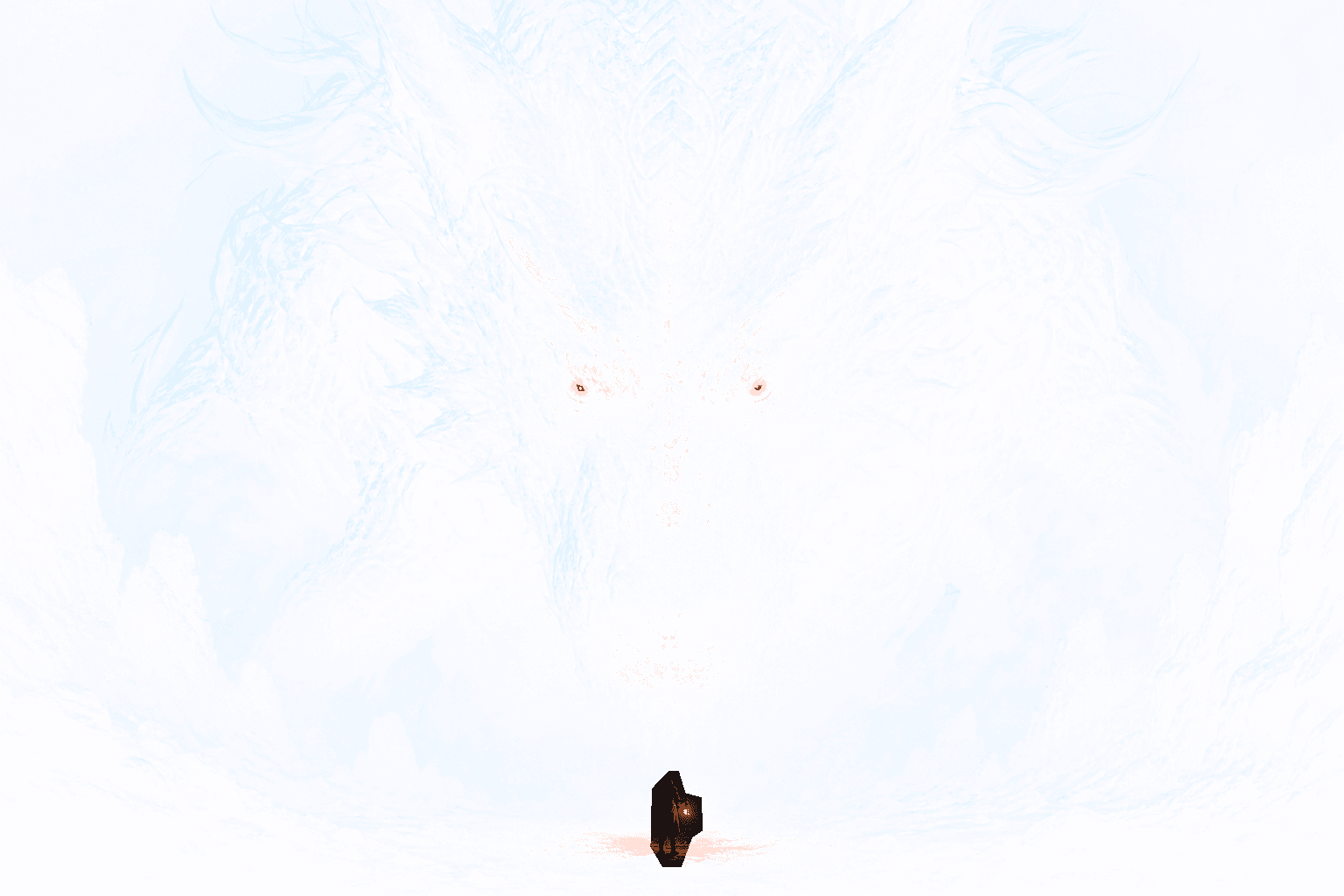
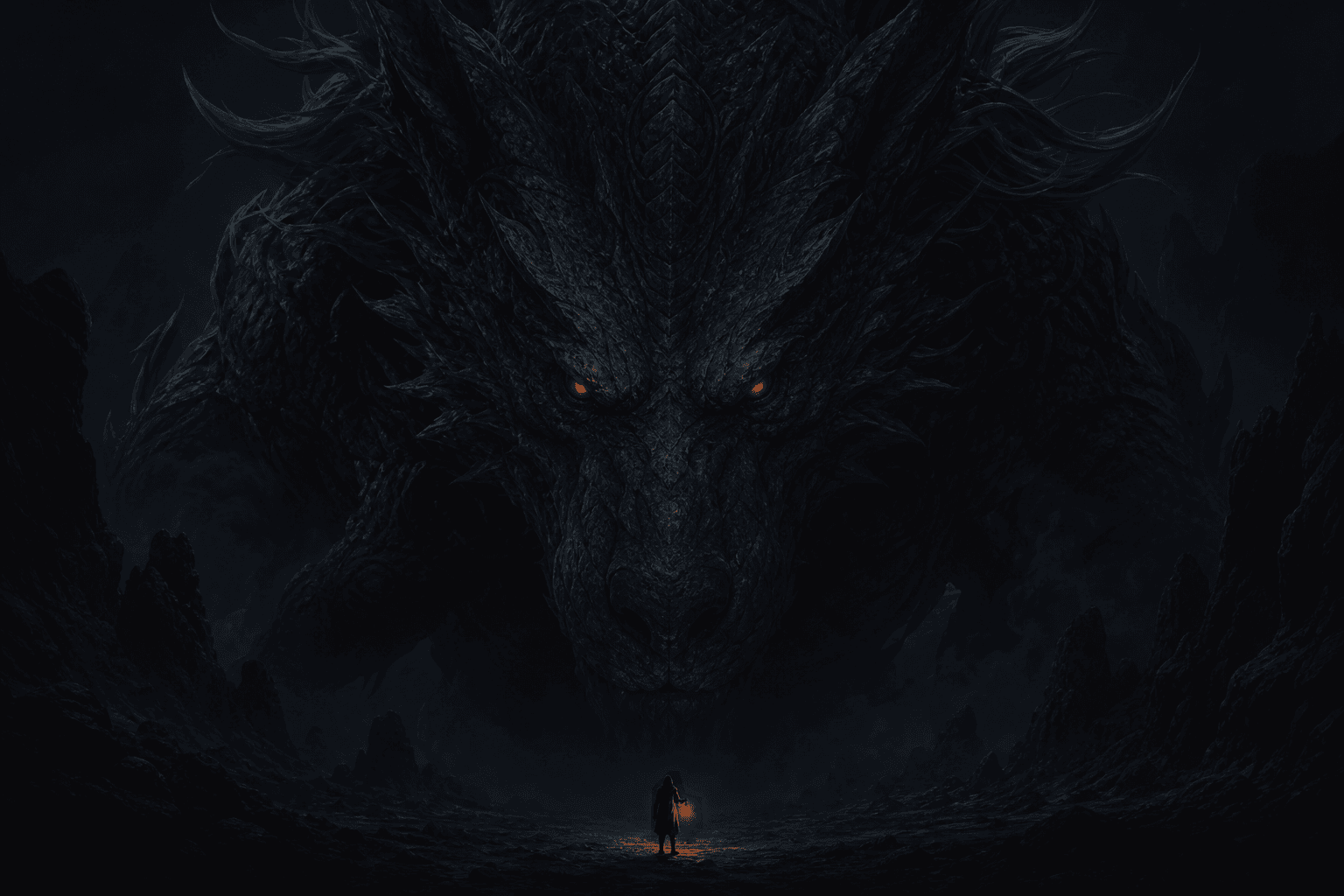
This is a real PNG made in RevealStudio. Press and hold the preview to switch between the X timeline state and the complete image.

REAL X PREVIEW
Real X timeline preview before pressing and holding the reveal imageThe complete dragon image revealed after pressing and holding
  1. 01Upload a real image
  2. 02Paint the hidden area
  3. 03Compare both states
  4. 04Export transparent PNG
Workflow

From upload to transparent PNG

Upload, mask, preview, and export without sending the source image to an image-processing server.

  1. 1Upload one source image
  2. 2Keep one timeline clue visible
  3. 3Preview the tap-to-reveal difference
  4. 4Download and test the PNG8

What tap to reveal means on X

Tap to reveal, tap and hold, click to reveal, and long press image are common names for the same family of hidden-picture posts on X. A single transparent PNG creates a restrained first state in the timeline and a more complete second state after the picture is opened or held.

This is different from an animated GIF or a four-image gallery trick. RevealStudio exports one PNG8 file. Because X controls its own resizing and compositing, the published post remains the final compatibility test.

Choose a clue that earns the reveal

A strong first state is not completely empty. Leave a silhouette, a pair of eyes, a product outline, a short word, or another recognizable clue in view. The clue explains that the post is intentional while protecting the surprise.

Use one clear payoff. Alternate artwork, a meme punchline, a product feature, a before-and-after state, or a hidden character is easier to understand than several unrelated masked regions.

Mask the hidden picture in your browser

Upload JPG, PNG, or WebP, then paint the region that should disappear from the first state. Use a larger brush for backgrounds and a smaller, harder brush around text, faces, and product edges. Erase accidental strokes before export.

Compare the timeline preview with the complete image at normal feed size. Increase the difference if the reveal is too subtle, or restore more context if the first state looks like a broken upload.

Export the original PNG8

Generate the result and download the exact PNG8 produced by RevealStudio. Do not convert it to JPEG, take a screenshot, or pass it through a service that flattens transparency. Those steps remove the alpha information used by the effect.

Keep the master file and publish a low-risk test before an important post. If X changes the result, return to the source and rebuild with a simpler mask or stronger visual difference.
FAQ

Common questions

Does RevealStudio upload my original image?+

No. The MVP editor processes jpg, png, and webp files in the browser with Canvas. The image is not sent to a server by default, which keeps creator drafts private.

Why should the output be PNG?+

PNG keeps the alpha channel. The transparent area is what lets a reveal image behave differently between a compressed timeline preview and a long-press or expanded view.

Why can the result look different after posting to X?+

Social platforms resize, compress, and preview images differently. RevealStudio gives a browser preview and conservative export defaults, but the final result can vary after platform processing.

Create a reveal image in your browser

No account is required. The source image stays on your device while you prepare the transparent PNG.

Open editor